User Activity Timeline: New Work History App for Jira Teams
Jira is great for planning and tracking work. But when it comes to understanding activity patterns over time, teams may hit a wall:
- Who is actually doing the heavy lifting?
- What did my team work on last week?
- Are our estimates reliable, and how often do they change?
- What happened since the last meeting?
- Where did we leave off, and how do we resume work when a colleague is out?
- Are we hitting capacity limits, or has activity stalled?
While native Jira tracks changes within individual issues, there is no easy way to aggregate this data to show how work flows across the team over time.
That’s why we built User Activity Timeline.
Introducing User Activity Timeline & History for Jira
User Activity Timeline & History for Jira is a visualization and reporting app that transforms standard, fragmented Jira issue history into a cohesive, user-centric narrative.
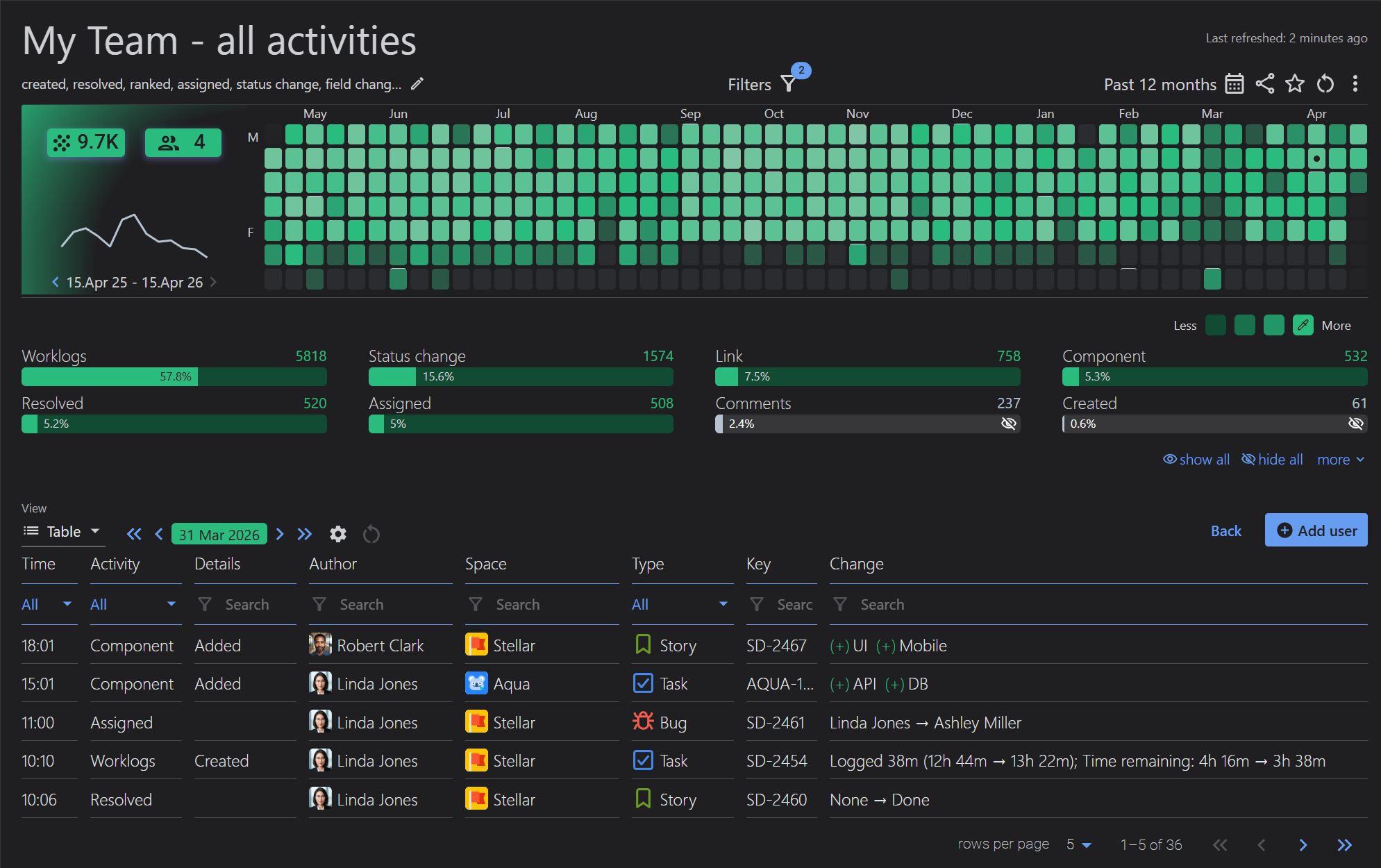
It provides interactive heatmaps, line charts, and detailed activity logs that allow managers and teams to see exactly how, when, and by whom work is being progressed.
Why Your Team Will Love It
- Turn Scattered Changes into Clear Activity Timeline
- Interactive Heatmaps: See “hot spots” of activity across the week/month/year. Click any cell to instantly drill down into a list of actions for that day/hour.
- Eliminate the “Where was that issue?” moments: Find any issue in seconds. Stop guessing work item summaries or wrestling with JQL. Just click a date on the calendar-style heatmap to see exactly what you or your team were doing last Tuesday. It’s the fastest way to find that ‘lost’ bug or verify a teammate’s progress.
- Custom Event Reports: Filter history by the specific actions that matter to you (e.g., only ‘Priority Changes’ or ‘Original Estimate Updates’).
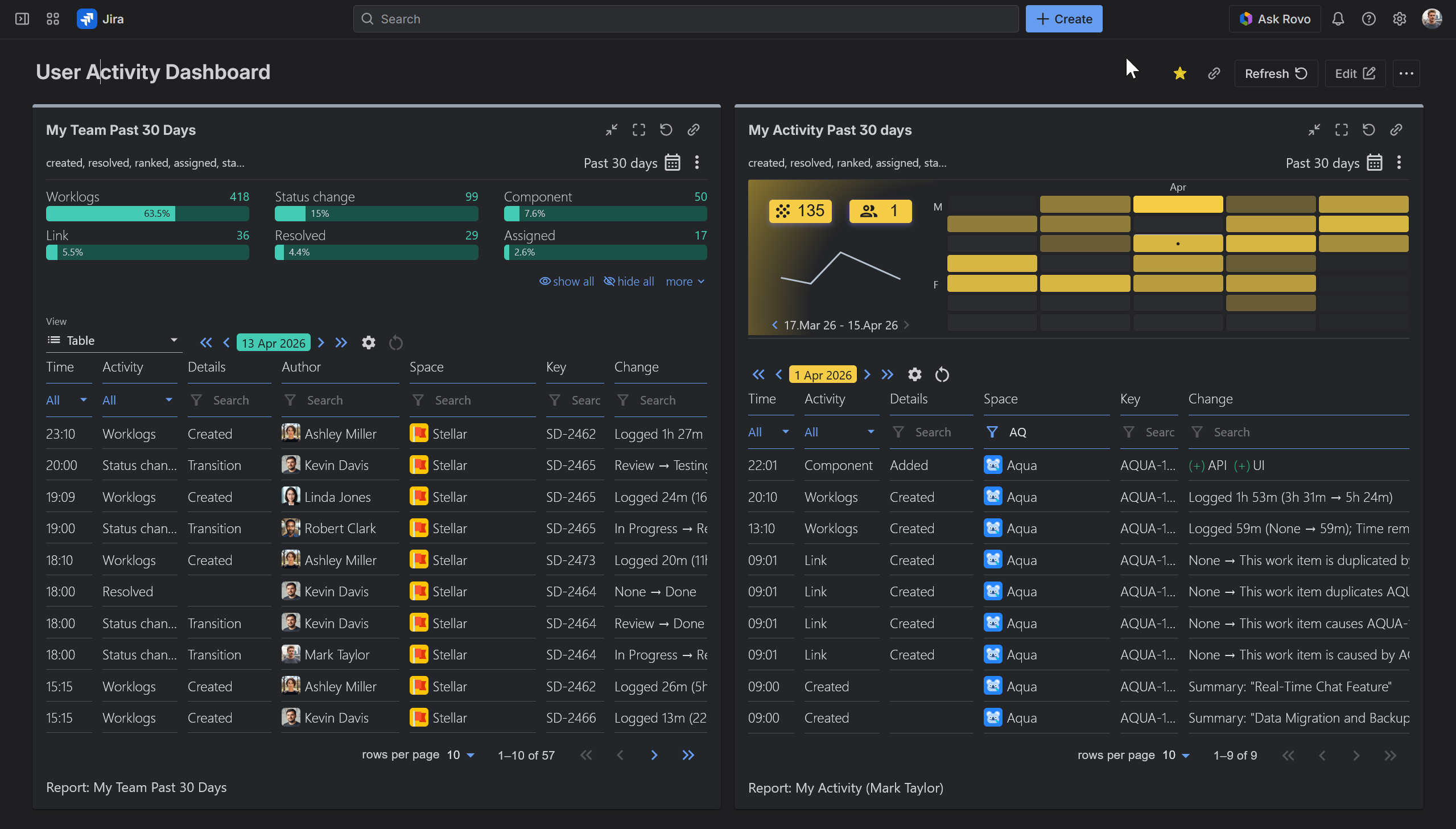
- Dashboard Gadget: Bring user activity timelines directly into your existing Jira Dashboards.
What the App Does
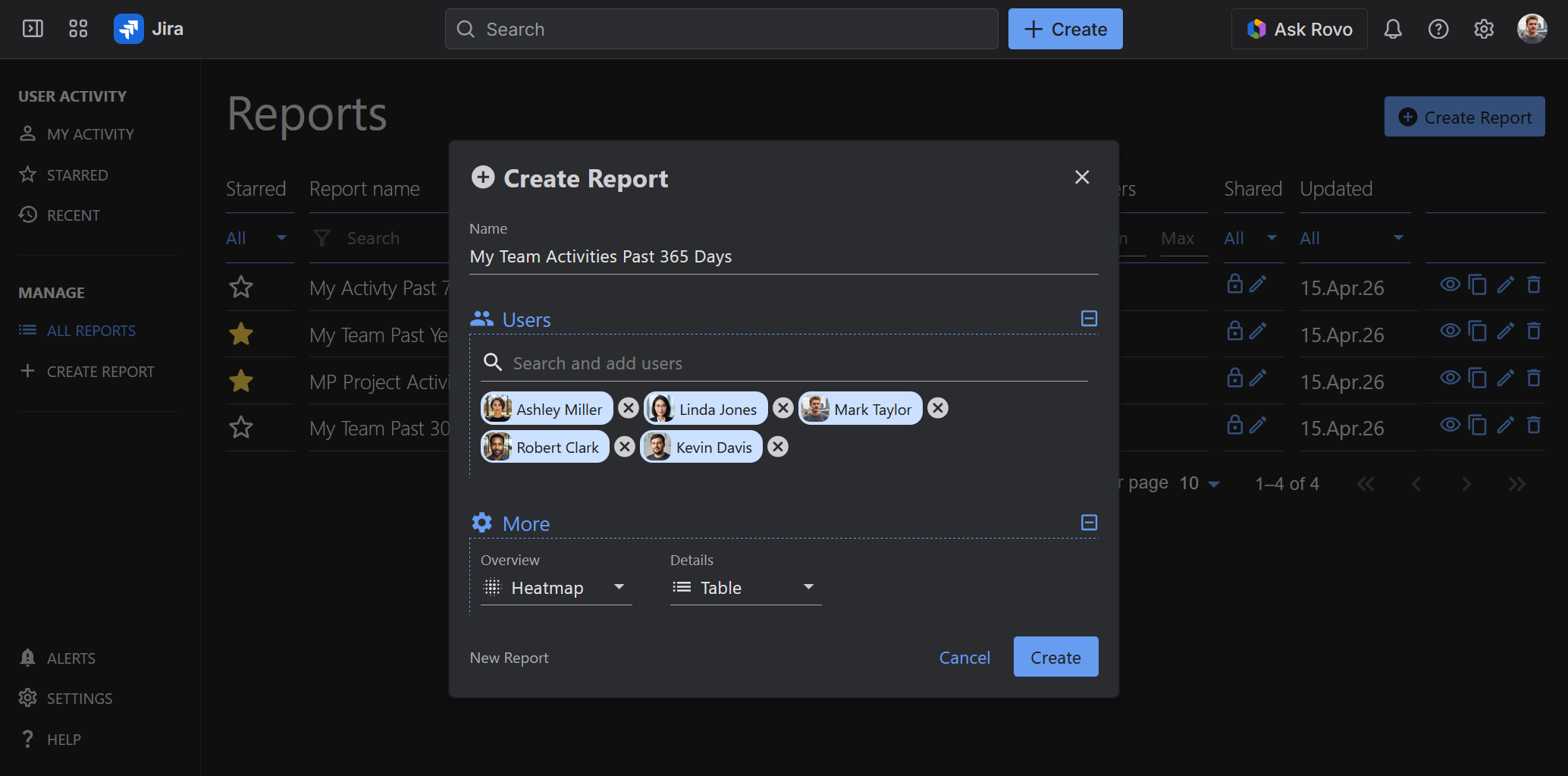
User Activity Timeline collects Jira activity and organizes it into a time-based view per user or team. Instead of opening issues one by one, you can analyze user activity across entire projects or teams in a single customizable report.
Key capabilities:
- Track work item history across 40+ activities, including Created · Resolved · Ranked · Assigned · Status Change · Field Change · Prioritized · Fix Version · Label · Sprint · Component · Comments · Worklogs, etc.*
- Analyze up to 365 days of history
- Filter activity history by space, sprint, epic, saved filter, work type, or JQL
- Create custom activity definitions based on field changes
- View personal or team-level reports
- View Most/Least Active Users rankings (available to app admins only)
- View System activities (available to app admins only) – a consolidated view of system-level activities across the Jira instance, helping administrators track configuration-related changes.
- Bring team activity directly to your Jira Dashboards with our Dashboard Gadget
When you open the app, you land on My Activity Report, which is a personal activity timeline showing your own Jira actions over a selected period. From there, you can build fully customizable team reports.
*See the Jira Fields: What’s Supported in User Activity Timeline App for details on the reported activities.
Who Is It For
All app users have access to their own My Activity report and can create and share team reports (subject to their existing Jira project browse permissions). Jira admins and org admins get the app administrator role by default, with the option to grant the role to others and get additional capabilities: access to Most/Least Active Users rankings, System Reports, and the ability to manage all app settings.
My Activity and team activity reports can be added to Jira dashboards via the User Activity Timeline gadget.
The app has a free 30 days trial and is always free for teams up to 10 users. You can install it directly from the Atlassian Marketplace or through the Apps menu in your Jira instance.
Data and Privacy
The app is built on Atlassian Forge and carries the Runs on Atlassian badge, meaning all data stays within Atlassian’s infrastructure and follows the same data residency settings as your Jira instance. DevAcrobats, the team behind the app, has no access to your data.
Activity data is available for up to 365 days (configurable). For certain event types, like issue views, deleted comments, system activities, data is captured from the date of app installation onward.
Get Started with User Activity Timeline Today
The User Activity Timeline app for Jira helps you:
- Spot activity patterns instantly: Identify busy periods, inactivity, or unusual spikes in activity.
- Understand real team behavior: See how work actually flows, not just how many issues are created or closed.
- Investigate process issues: Detect excessive status changes, reassignments, unusual workflow transitions.
- Improve planning and estimation: Track how often estimates or priorities change over time.
- Answer “what happened?” without manual digging: No more browsing through work items’ history one at a time.
Ready to see your team in action? Explore our documentation and create your first activity report in just a few simple steps – select your users, pick your visualization, and let the data flow.
Start your 30-day free trial on the Atlassian Marketplace and transform your Jira activity history analysis today!