
7 Time Metrics for Jira
A comprehensive time analytics toolkit
Time Metrics are one of the core capabilities that the Performance Objectives app brings to Jira reporting. All seven metrics are calculated dynamically from your existing Jira data — no new custom fields, no manual data entry, no project configuration changes required.
Each metric captures a different dimension of how time flows through your workflow: where issues get stuck in statuses, how long individual assignees hold work, how much time elapses between dates and process milestones, how much effort your team logs, and whether issues are heading toward or already past their due dates.
Explore our 7 Time Metrics for Jira one by one or head directly to the time and worklog report examples.
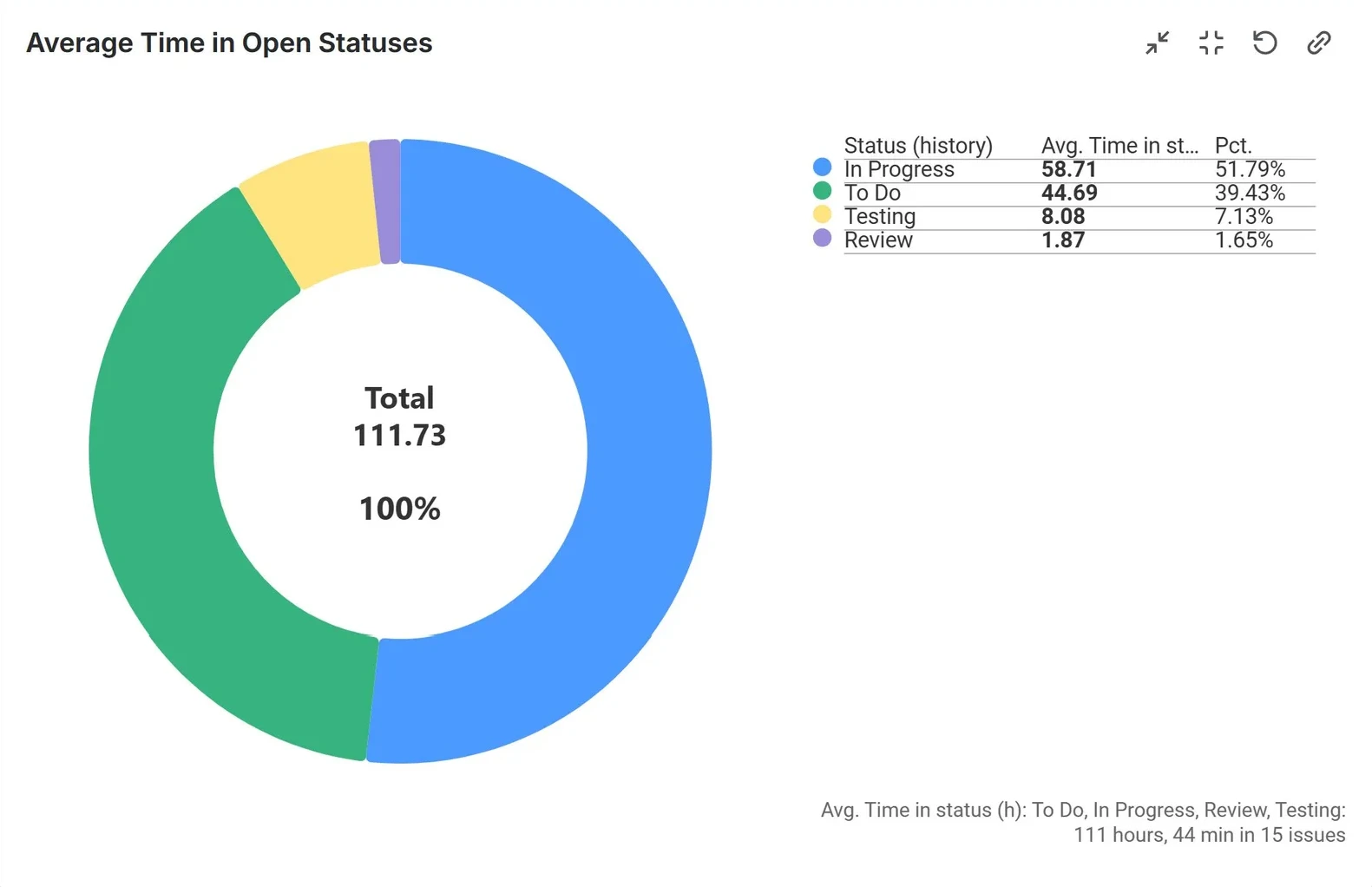
Time in Status
How is time distributed across your workflow?
The “Time in Status“ metric measures how long issues spend in any given workflow status – e.g., “In Progress,” “Review,” “Testing,” or any custom status your team uses. It is calculated on the fly from Jira’s issue history, so there is nothing to configure in your project settings and no new fields cluttering your issue view. You can report on a single status or build multi-status comparisons.
- Identify which workflow stages consistently become bottlenecks across sprints, time periods, or fields
- Use the scatter chart to visualize each issue’s Time in status as a unique data point, making it easy to spot significant outliers and investigate further
- Compare time-in-status across priority levels to find where high-priority work slows down
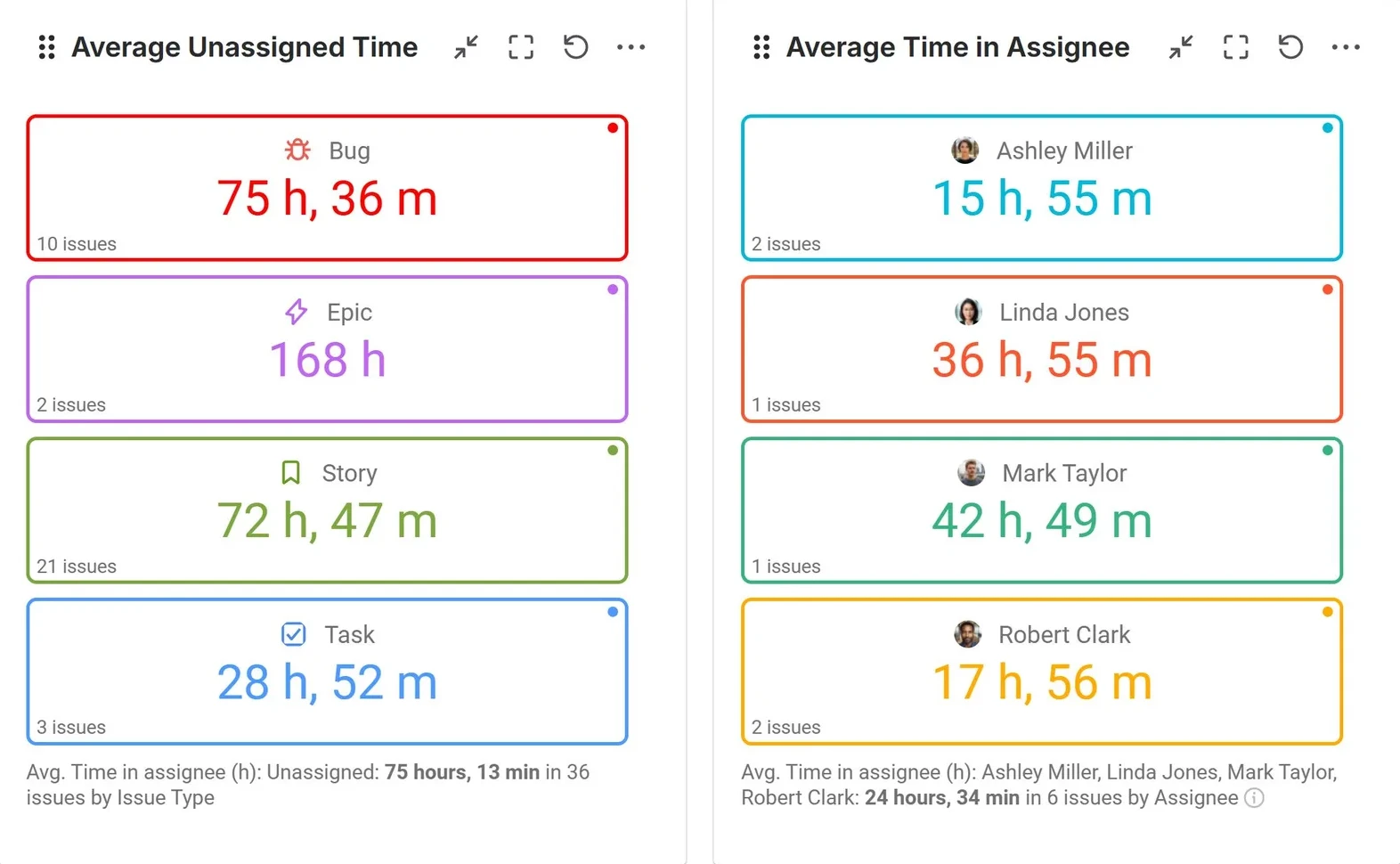
Time in Assignee
Which team members are holding work the longest?
Or how long do issues remain unassigned before being picked up?
The “Time in Assignee” metric measures how long an issue is assigned to each individual throughout its lifecycle. It also helps you understand how much time issues spend unassigned before a team member takes ownership.
- Calculate how long issues remain unassigned
- See the average time each team member holds an issue
- Identify potential overload or inefficiencies in individuals’ workflows
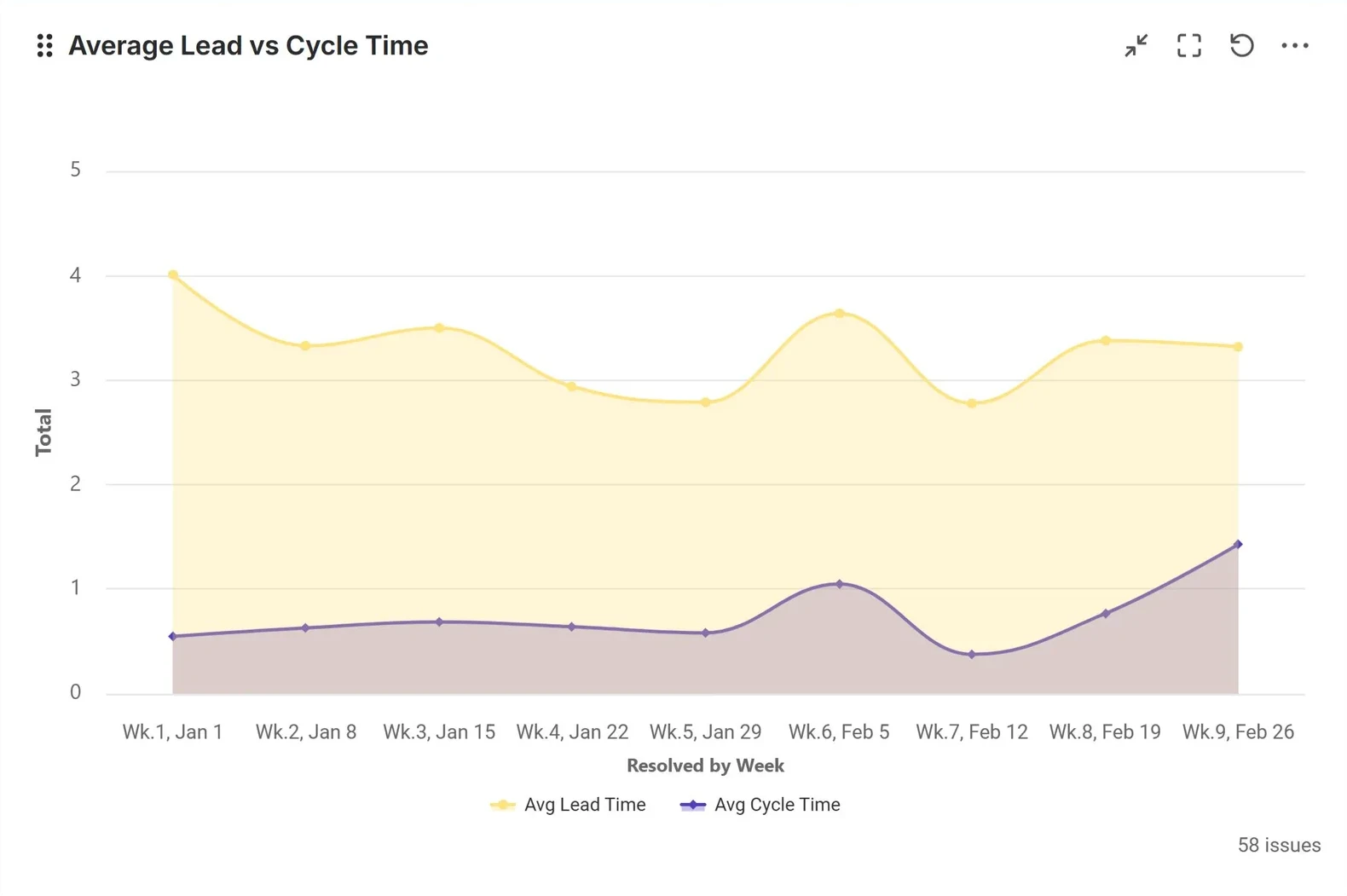
Time Between
How long does it really take to go from idea to delivery?
The “Time Between“ metric measures the elapsed time between any two date events in an issue’s lifecycle. By selecting a From and To date — using Jira system fields (like Created or Resolved), app-calculated events (like First date in assignee), or your own custom date fields — the metric automatically calculates the interval for every issue. This is the metric that powers classic flow efficiency KPIs.
- Build a Lead Time vs. Cycle Time report to visualize your team’s flow in a single, high-level chart.
- Measure the time issues spend between key milestones, such as the time from creation to first assignment or entry into In Progress.
- Track Custom Events: Use this metric with custom date fields to analyze durations between custom events in your process.
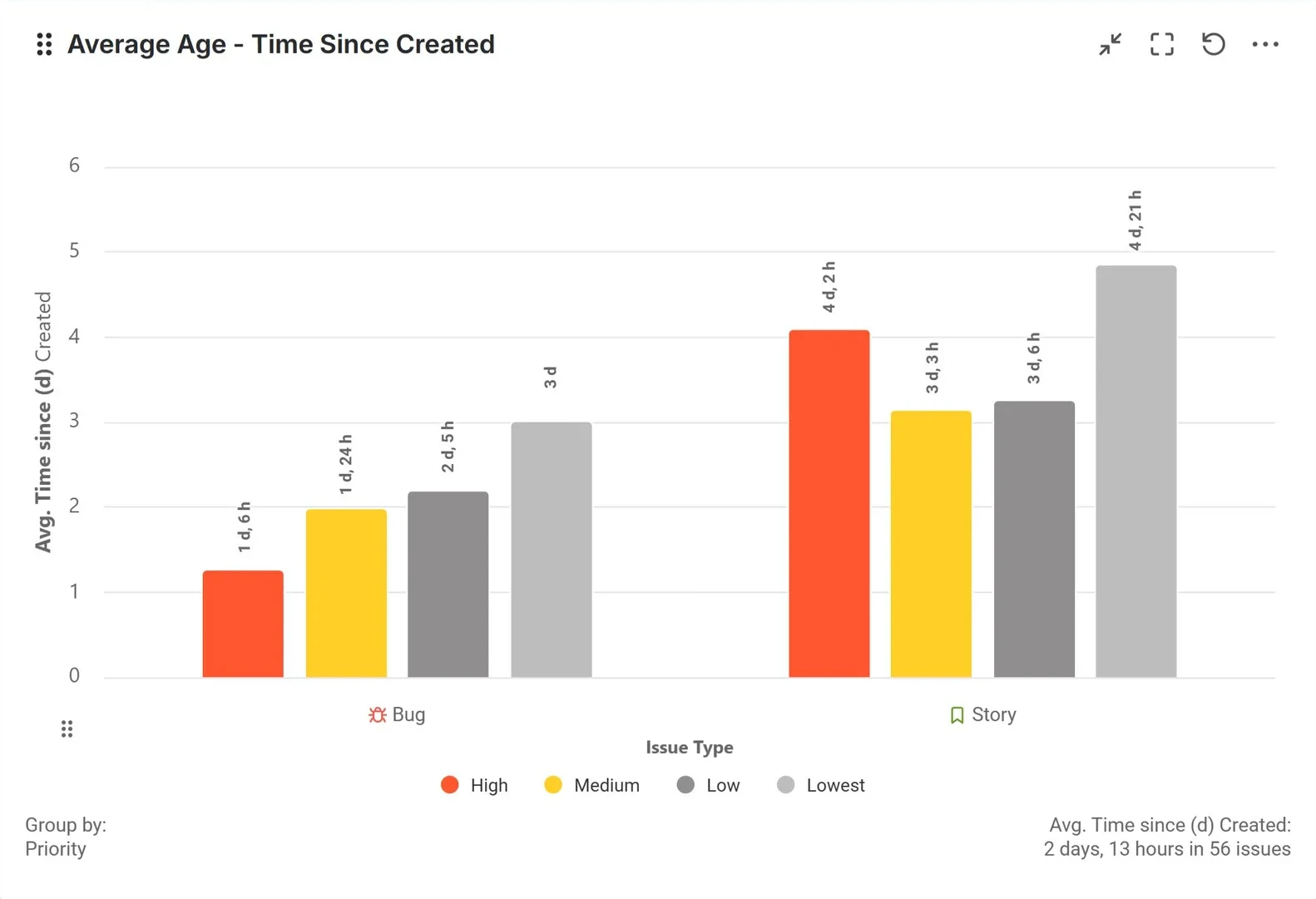
Time Since
Which open issues have been sitting there far too long?
The “Time Since“ metric calculates how much time has elapsed since a specific date event on an issue – most commonly the Created date – up to the present moment for open issues, or up to the resolution date for closed ones. This makes it the natural choice for issue age reporting.
- Surface every open issue that has exceeded your maximum acceptable age threshold
- Monitor issue age distribution across assignees, priorities, or service request types
- Use as an SLA-like time indicator for projects without defined SLAs
Worklog Time
How is the team’s effort distributed?
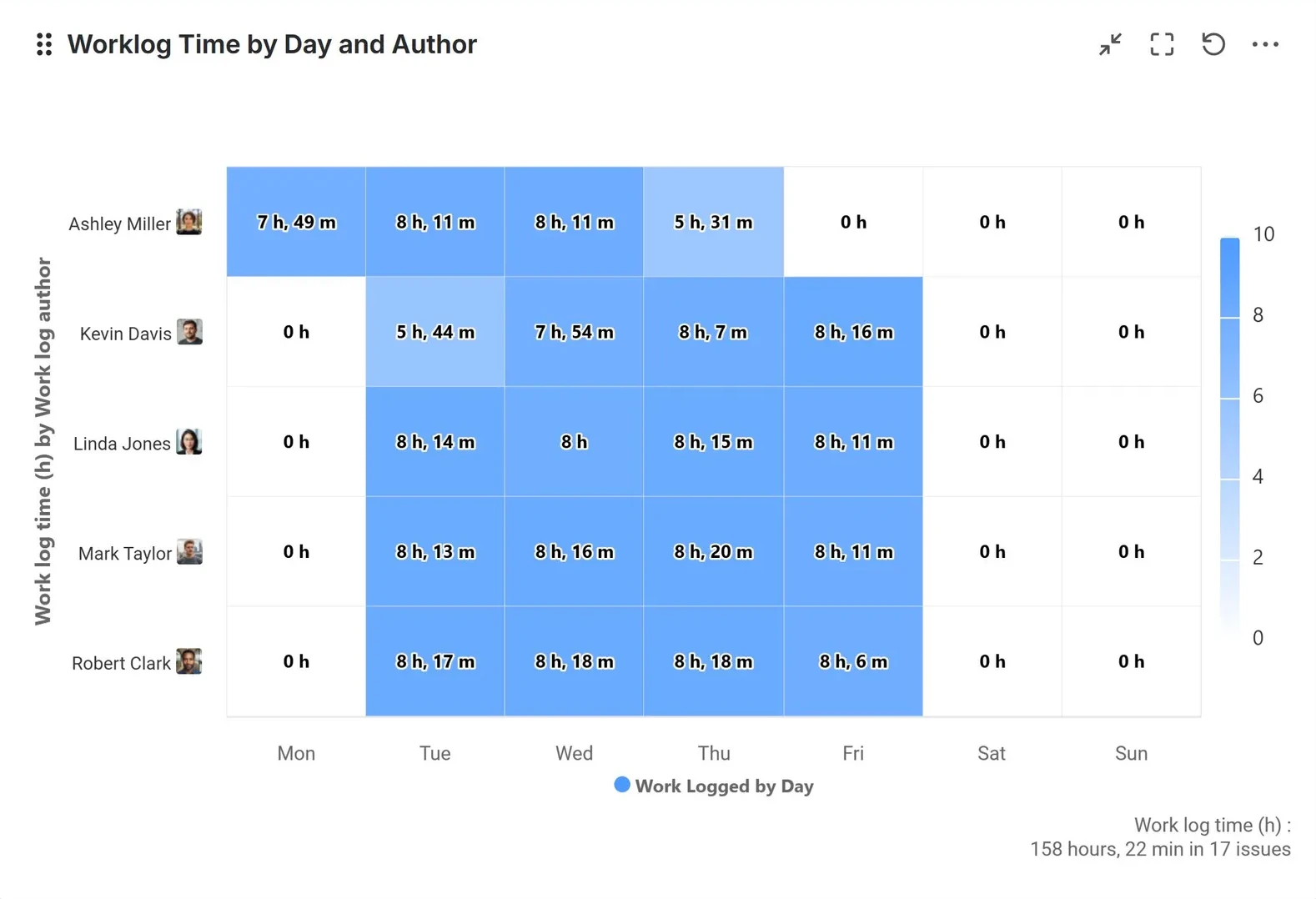
The Worklog Time metric extracts data from native Jira time tracking to provide an accurate view of team effort. It enables you to aggregate logged time by the actual author and the date it was recorded. This reveals the true distribution of work, even when multiple team members contribute to a single task.
- Compare logged hours across worklog authors over time to detect capacity imbalances or underreporting patterns
- Track whether team members meet weekly logged-hours target, with clear pass/fail coloring
- Break down total time logged by epic, component, or project to understand where effort is invested
Overdue Time From Date
How much time do issues exceed their due dates?
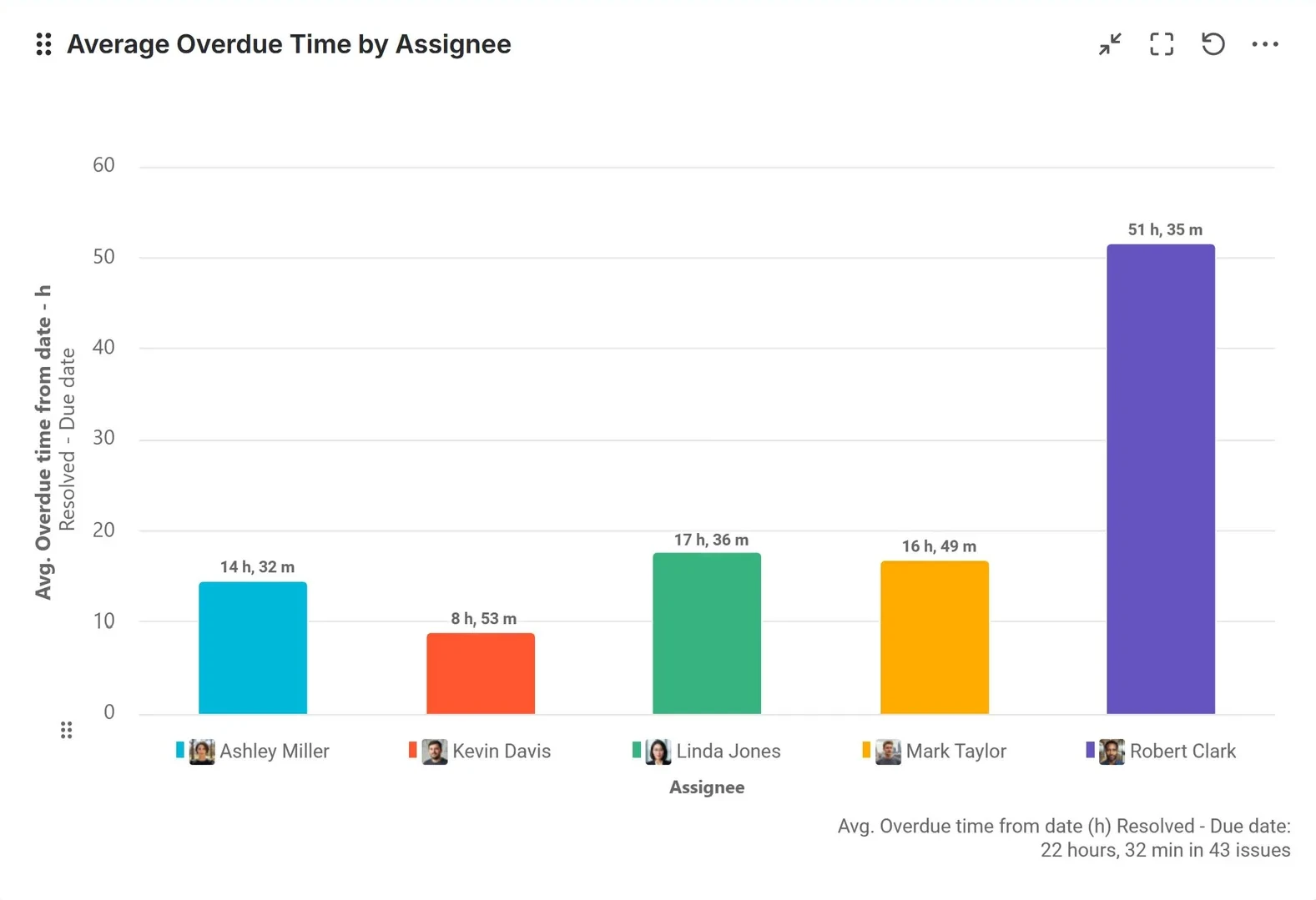
The “Overdue Time from Date” metric measures the accumulated time after a specific date, such as the Due date or any other selected Jira date field. It is calculated only when the chosen actual date (e.g. Resolved) occurs later than the selected date (e.g. Due date), capturing how much time an issue exceeds its expected deadline. Use this metric for:
- Estimation accuracy
- Support project planning
- Analyze resolution delays across assignees and priorities
Remaining Time to Due Date
Which issues are closest to their due dates?
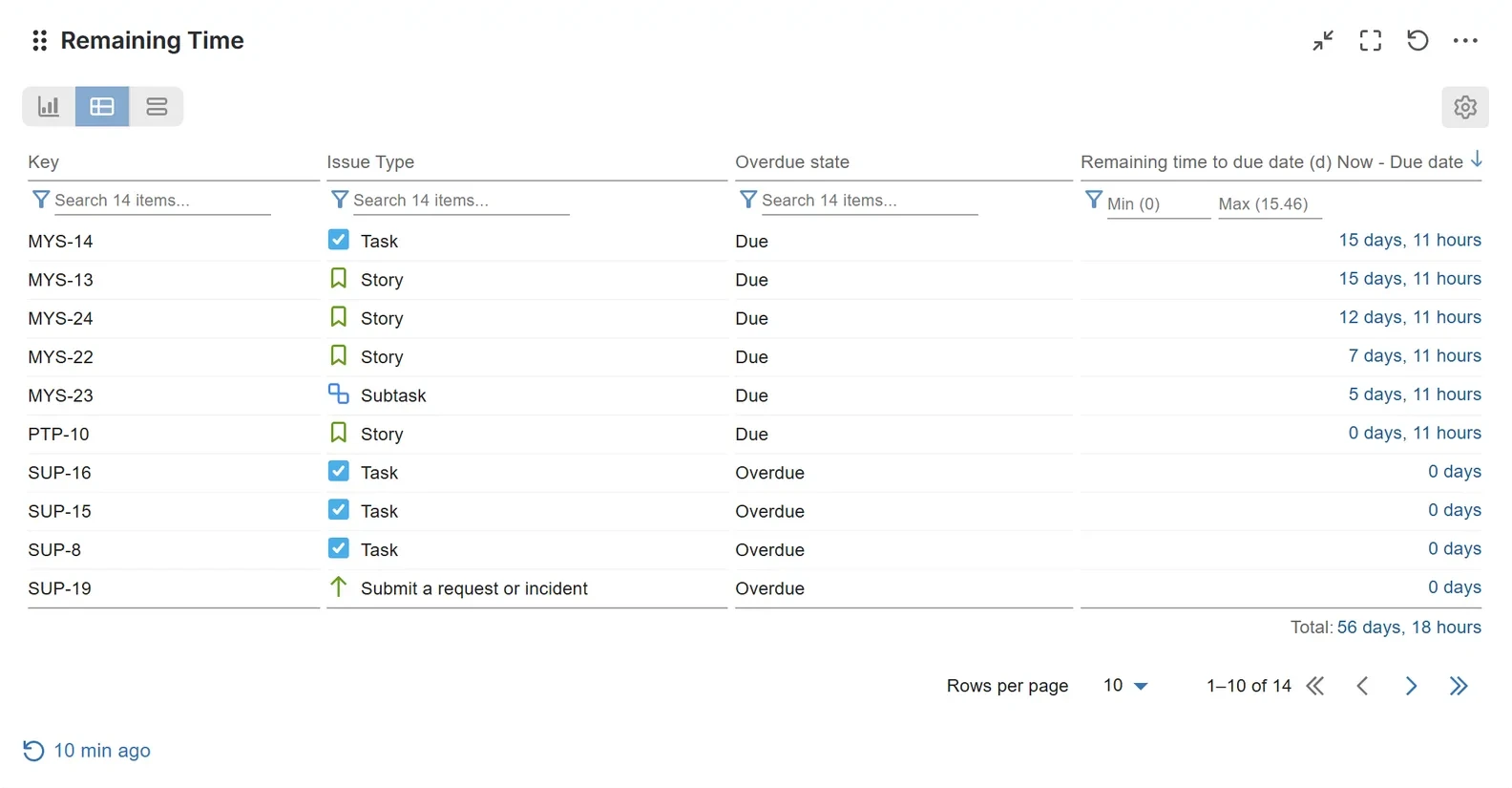
The “Remaining Time to Due Date” metric acts as a proactive countdown for your team. It applies to scenarios when the actual date (e.g., Now) occurs before the due date, calculating the time remaining between the two.
- Visualize the time between Now (current moment) and the Due date to identify items at risk. This helps managers focus additional resources where needed.
- Use this estimation for accuracy assessment or as input for project planning