
Performance Objectives
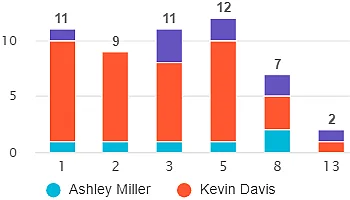
The flagship gadget delivers bar and column charts with all the essential and advanced features for any Jira user or reporting need.
The Performance Objectives app provides one of the widest ranges of chart types for Jira dashboards across its 10 dashboard gadgets. Choose from essential chart types like bar, line, pie, or explore more unconventional visualizations such as bubble, wind rose, tree map, and multi-metric charts.
No matter your reporting needs, there’s a visualization to match every Jira data scenario.
The flagship gadget delivers bar and column charts with all the essential and advanced features for any Jira user or reporting need.
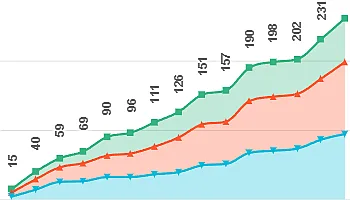
This gadget offers line and area charts with full set of powerful features to visualize trends in your Jira data – just like our flagship one.
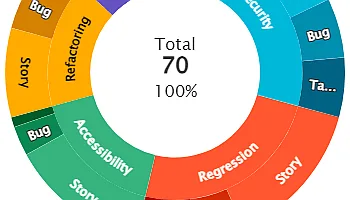
The Circular Chart gadget combines Sunburst, Pie, Donut, Radial Bar, and Wind Rose charts – your all-in-one toolkit for circular data visualization.
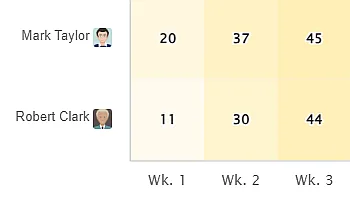
Uncover hot and cold spots in your Jira data with color-coded heatmaps – ideal for spotting patterns and correlations at a glance.
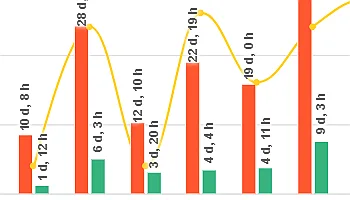
Analyze up to 10 metrics in one chart – perfect for comprehensive cross-metric insights in your Jira data in a bar and trend chart format.
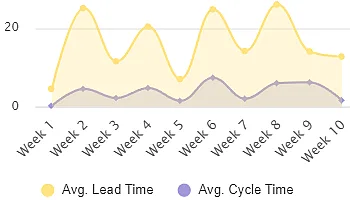
This gadget supports advanced dual-axis line and area charts and allows you to track multiple metrics over time.
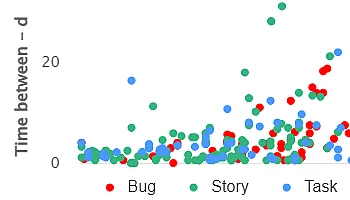
Visualize relationships between Jira metrics. Spot outliers, identify correlations, and explore up to three dimensions of data.
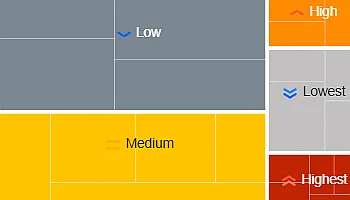
Visualize part-to-whole relationships with this gadget. Drill down up to three levels for powerful, dynamic analysis of hierarchical Jira data.
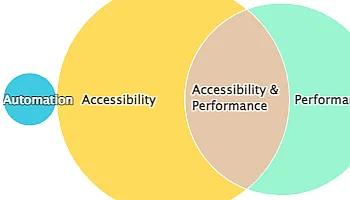
Analyze data intersections with the Venn Diagram – visualize overlaps for Components, Labels, Fix Versions, and more.
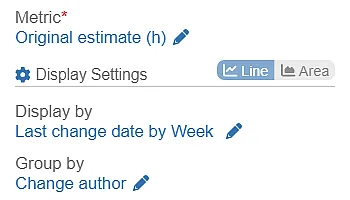
Track and audit field changes with this gadget – gain insights to improve project management, decision-making, and compliance in Jira.
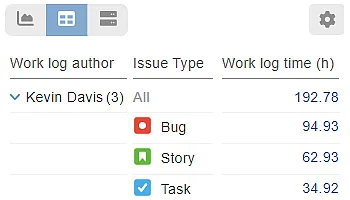
View raw Jira data in table format to inspect exact numerical values – perfect when precision matters more than charts or visuals.
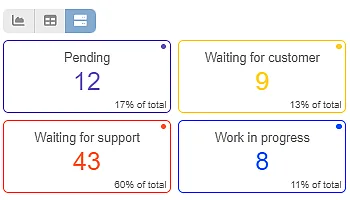
Switch from chart to Tiles View to display each x-axis item as a distinct tile with a % of total indicator. You can also set Tiles as the default view.