
Analyze Sprint Performance in Jira
The Performance Objectives app provides dynamically captured Jira Sprint data designed to help teams better analyze sprint execution. It retrieves and aggregates sprint-level information – natively available only within individual Jira sprint reports – and transforms it into powerful fields for cross-sprint reporting.
These fields enable you to build agile reports in Jira that highlight multi-sprint commitment states, sprint scope changes, spillover patterns, and cycle counts, giving teams clear visibility into delivery trends and supporting continuous improvement.
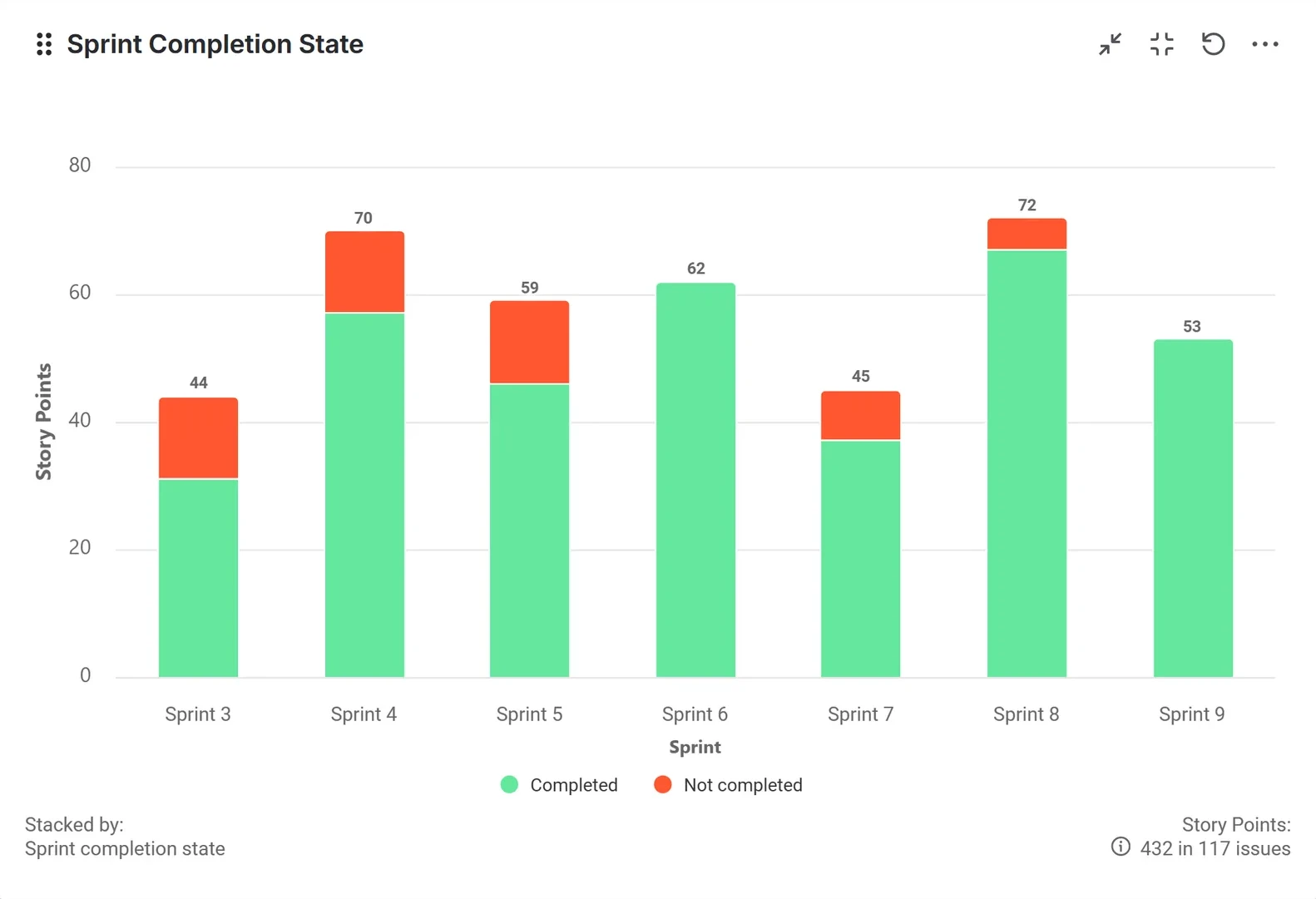
Sprint Completion State
What do we actually complete in a sprint?
Visualize what was completed in a sprint, regardless of whether the work was part of the original commitment or added after the sprint started.
Use this field to:
- See how much work was Completed in the sprint
- See how much work remained Not completed when the sprint ended
- Assess how consistently the team finishes work started in a sprint
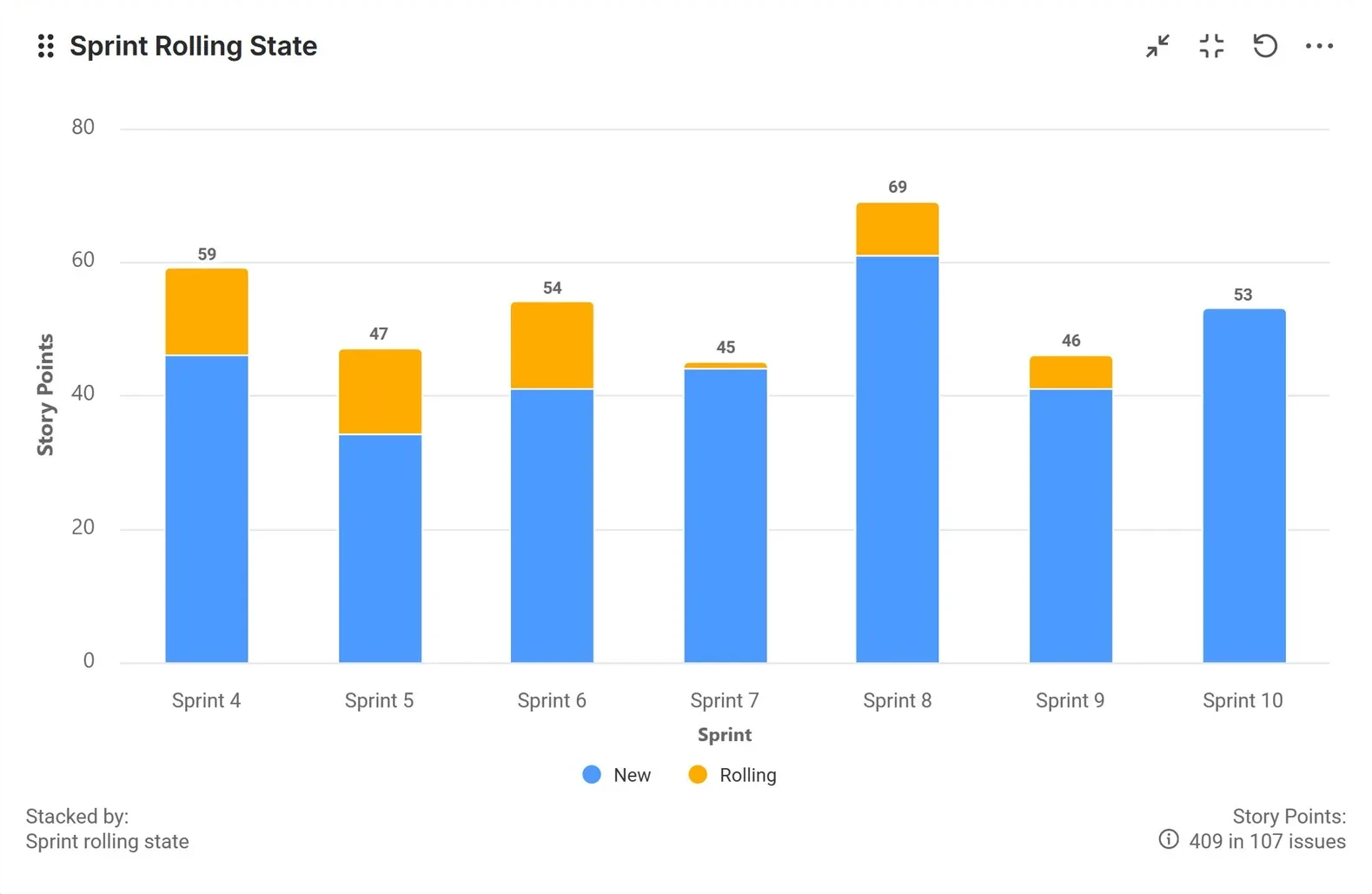
Sprint Rolling State
How much work is rolling from previous sprints?
Show how much work is carried over from one sprint to the next. This field distinguishes between:
- New – Work items or story points added to the sprint for the first time
- Rolling – Work items or story points carried over from a previous sprint
Use it to:
- Identify recurring spillover and “velocity cracks”
- Spot planning or sizing issues that cause rollover
- Understand workload patterns across multiple sprints
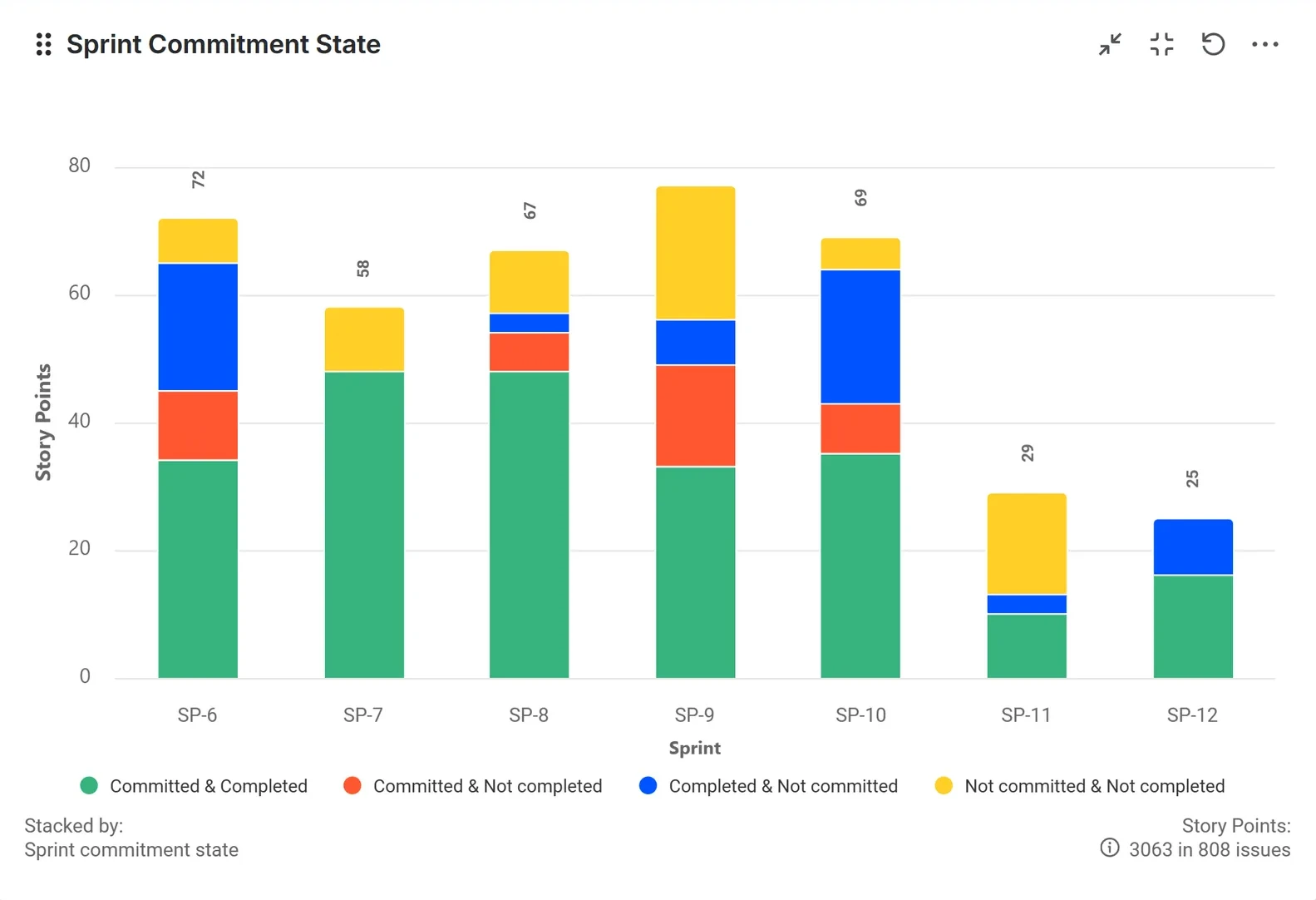
Sprint Commitment State
Are we delivering what we commit to?
The Sprint Commitment State field breaks down story points or issues into categories:
- Committed – Work included in the sprint at start
- Completed – Work finished by the end of the sprint
- Not committed – Work added after the sprint started
- Not completed – Work not finished when the sprint ended
This field brings together insights from the native Jira sprint and velocity reports, helping you:
- Check how closely outcomes match the initial commitment
- Understand how much unplanned work enters the sprint
- Review the balance between committed and completed scope
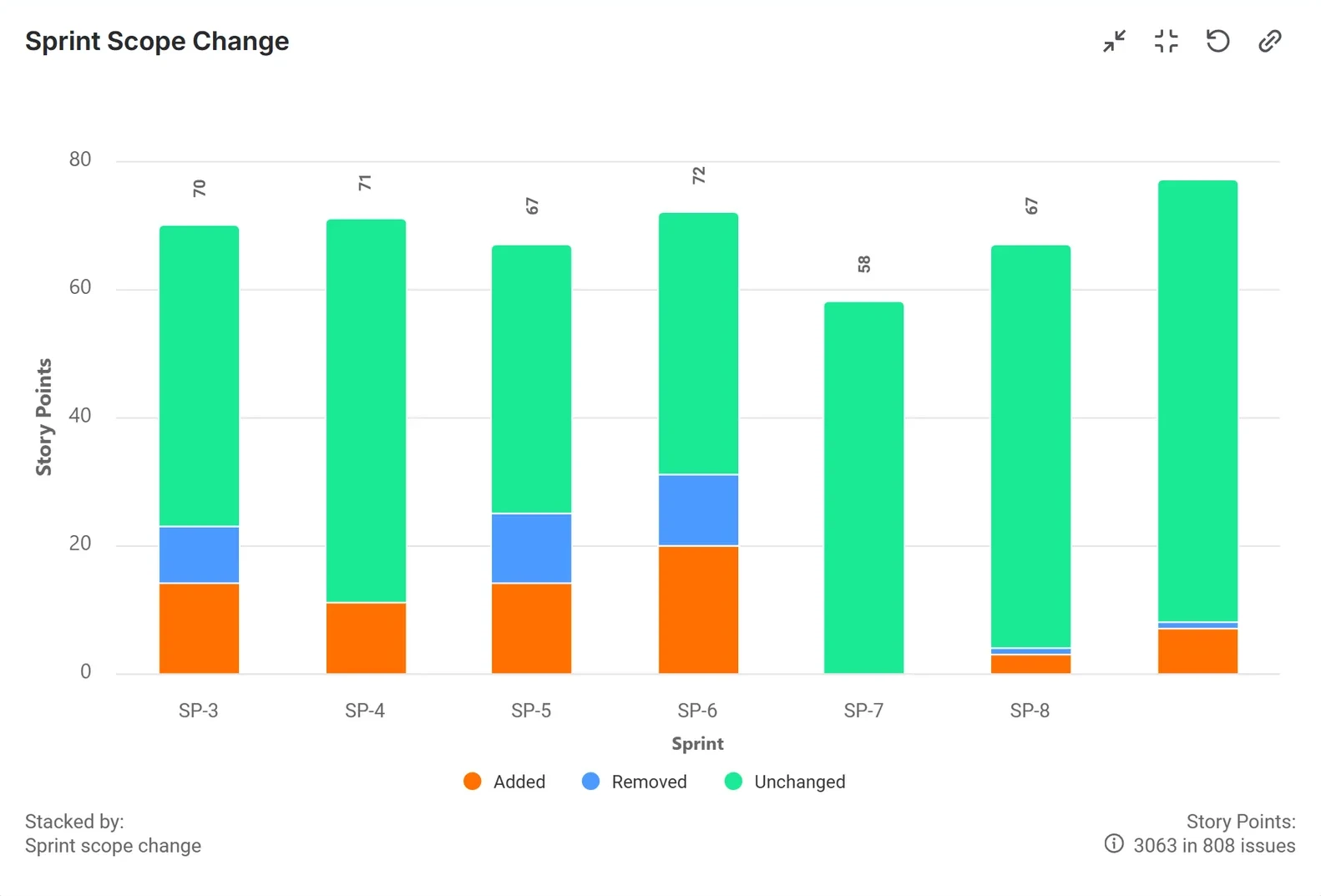
Sprint Scope Change
How stable is our sprint scope?
This field shows how the sprint scope changed after the sprint started. For each sprint, it displays how many story points were:
- Added – Work added after sprint start
- Removed – Work removed during the sprint
- Unchanged – Work that remained in the sprint until its end
Best used to:
- Monitor scope creep and reductions
- Understand the impact of scope changes on velocity
- Adjust planning practices to keep sprint scope more stable
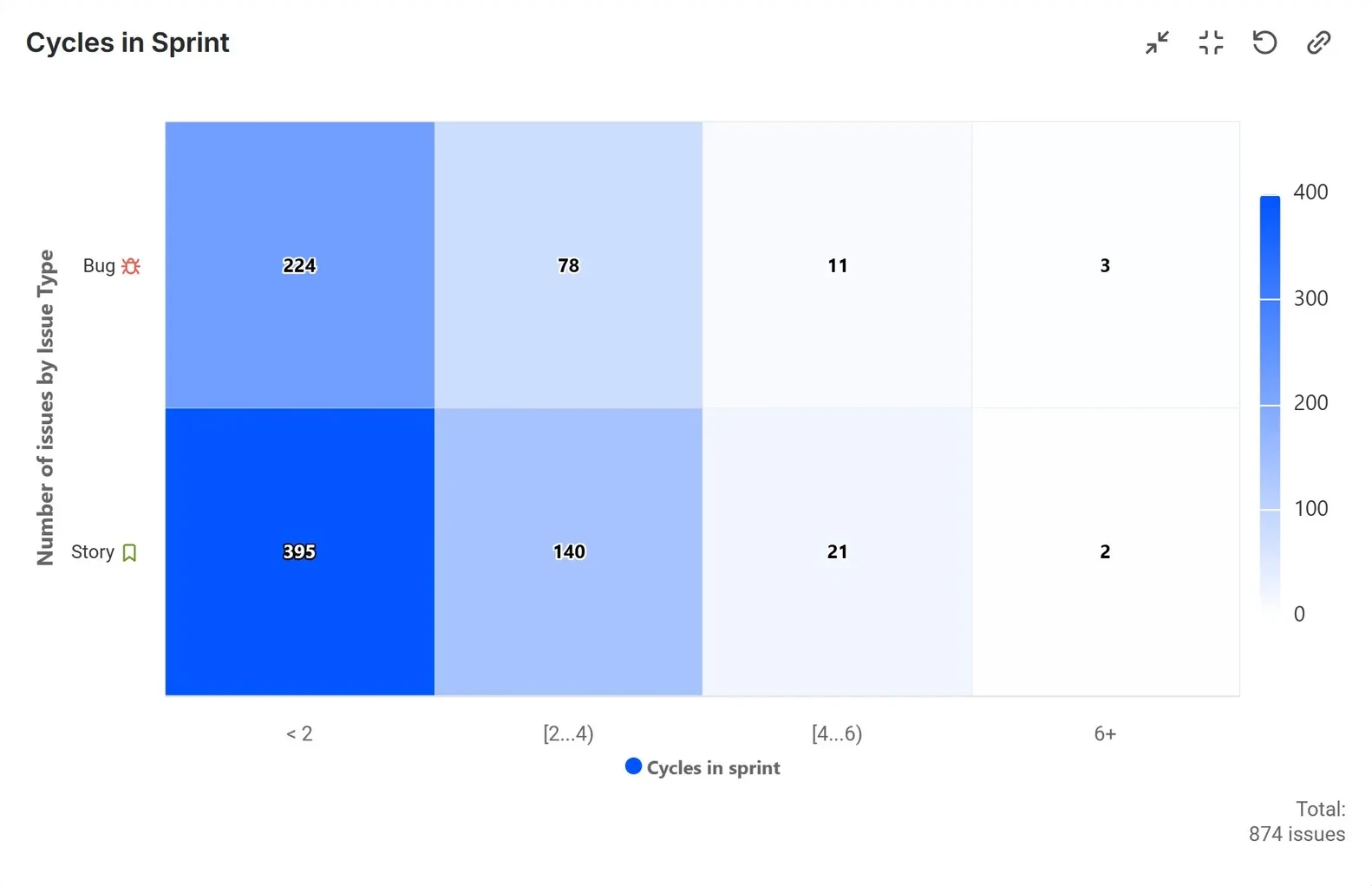
Sprint Cycle Count in Jira
Which issues have lived through multiple sprints?
Highlight work that has appeared in multiple sprints without being completed. Surface “multi-sprint issues” and show how many sprint cycles each item has gone through.
If many issues have a cycle count greater than 2, this may indicate:
- Work items that are too large or complex
- Poorly defined stories that require rework
- Items that are frequently deprioritized or interrupted