KPIs Based on Resolution Field in Jira
Introduction
New KPIs that can be easily added to your performance appraisal goals are the one based on the resolution field in Jira. Usually there is a default setup in workflows, screens and common options in Jira that will allow you to utilize collected “Resolution” data without further admin assistance.
The sample report below, configured using the Performance Objectives gadget in Tiles view, shows how many work items were resolved with specific Resolution types. It can serve as a starting point for deciding which Resolution types to prioritize for setting target percentages, helping you guide and manage QA processes.
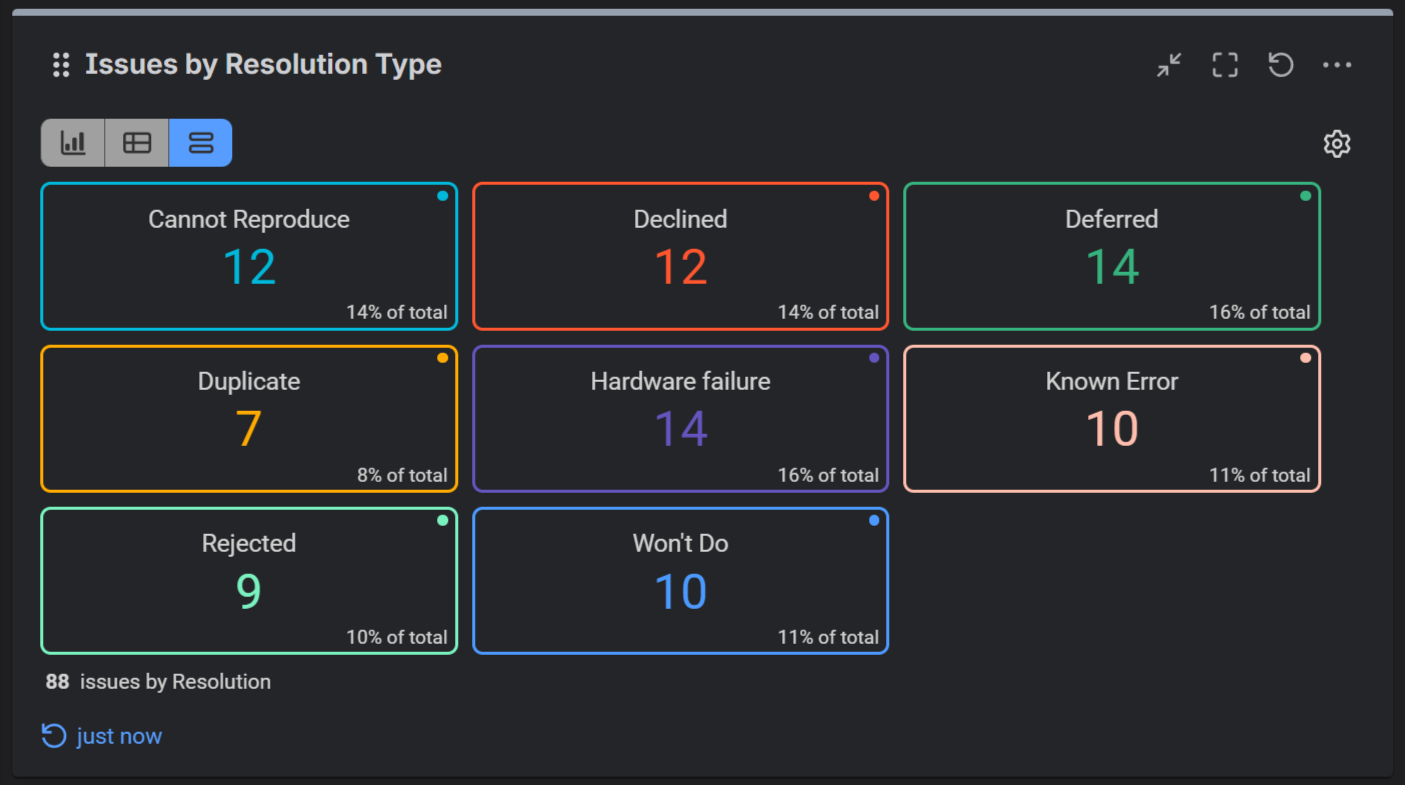
Sample goal, e.g., “Max 3% of total Bugs reported by QA team to be closed with resolution ‘Not a defect’, ‘Duplicate’ or ‘Cannot reproduce’ will improve QA capability of finding and describing stable reproduce patterns and improve content quality of reported issues.
The following article shows setup of such KPI with Performance Objectives app for Jira: Punctuality of reported defects.
What is issue “Resolution”?
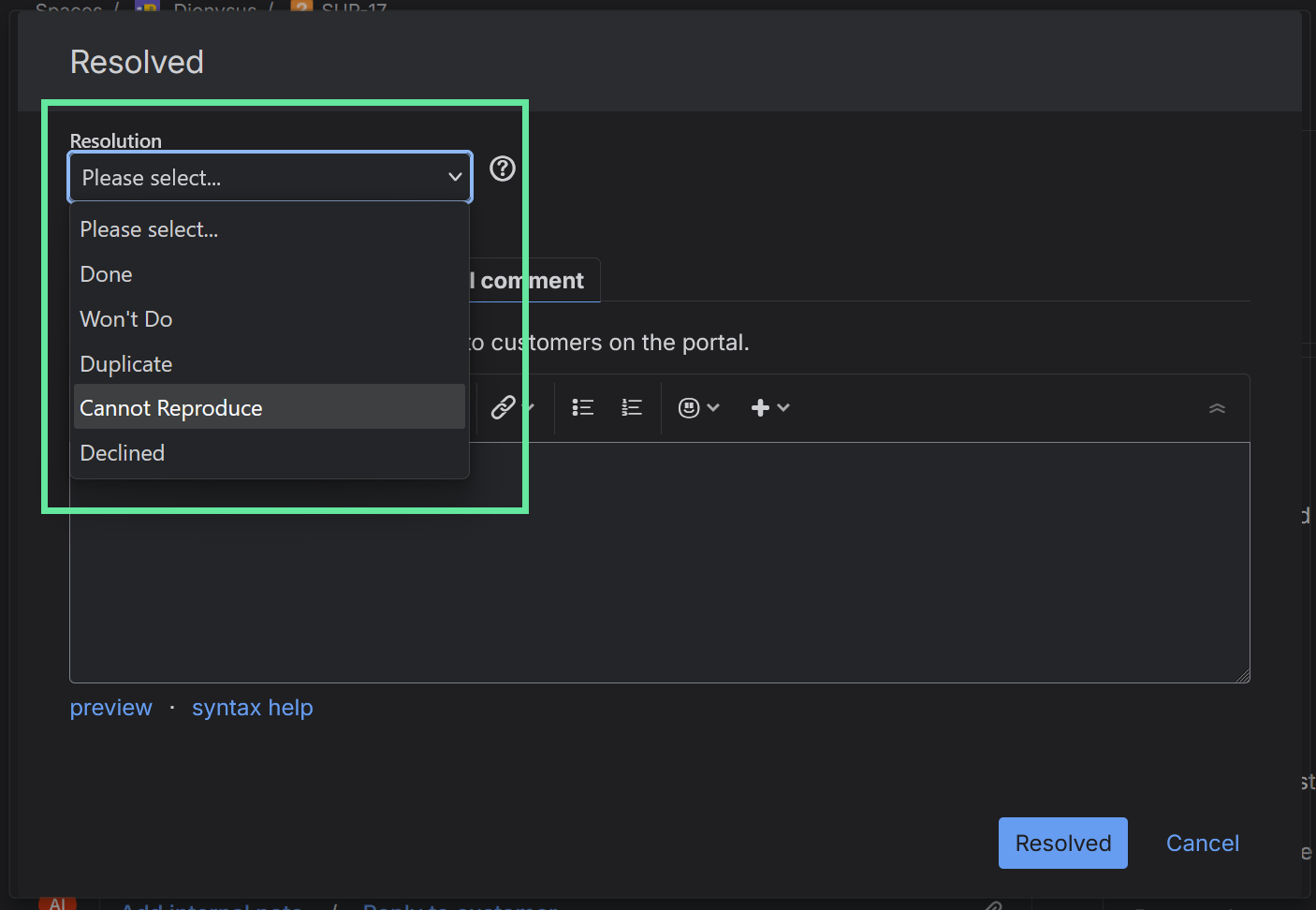
Resolution is a field in Jira that usually can be seen on last step popup window prior closing a Jira task. It is associated with workflow of just particular issue types, e.g., “Support Request”, “Bug” as part of the Resolution screen but it can be attached to any other issue type.
How to manage available resolution types?
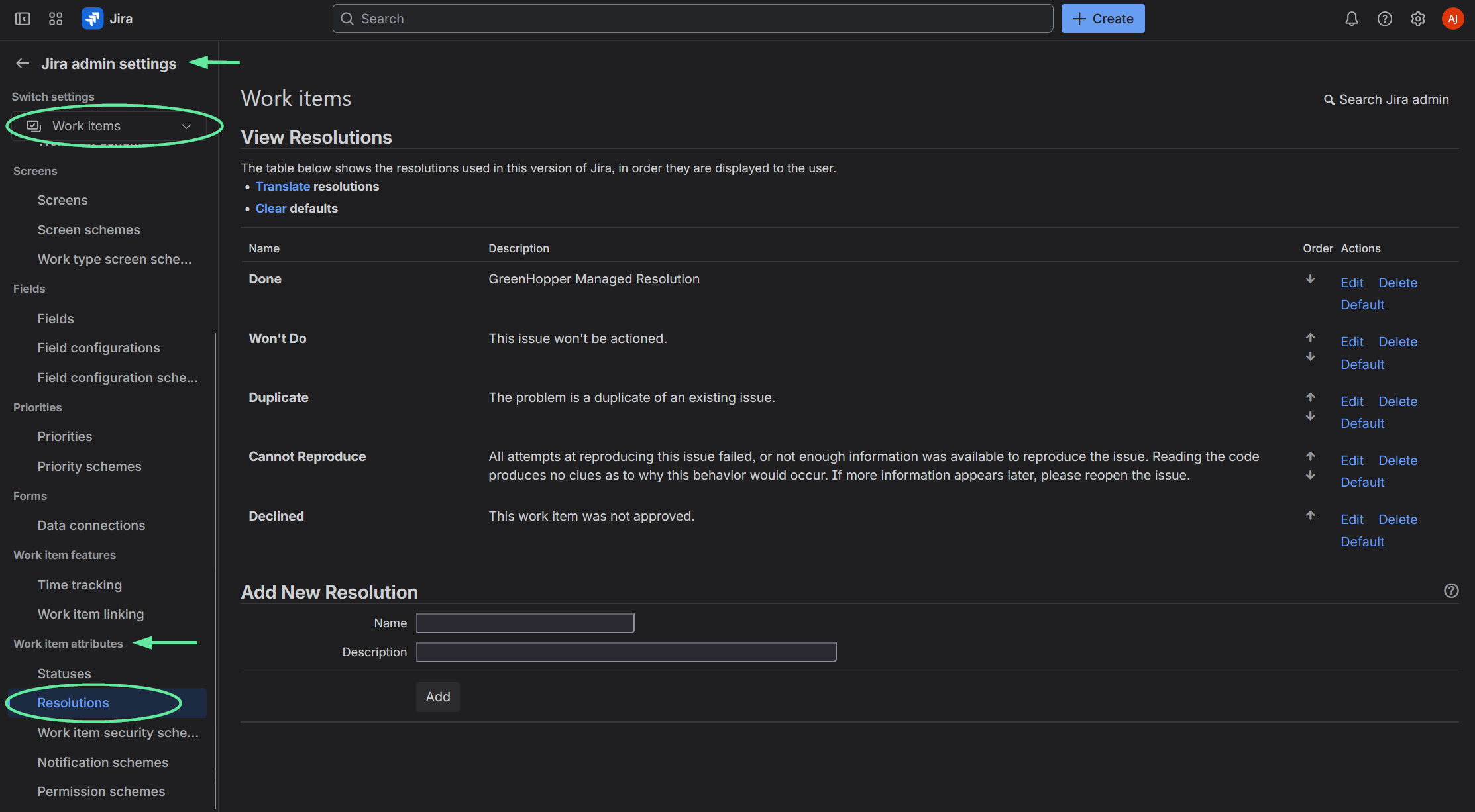
In Jira when navigated to Jira Admin Settings > Work items >Work item attributes > Resolutions all available resolution options will be seen. Default ones include Done, Won’t Do, Duplicate, Cannot Reproduce, Declined. So, you may consider refining these to less or more to align best to your company operation processes.
Learn more about the Best practices on using the “Resolution” field in Jira Cloud.