

Time Spent in Rework
Efficiency is the heartbeat of successful project management. One key aspect is cutting down time spent on rework. This article guides you through crafting a “Time Spent in Rework” report in Jira. Using the Performance Objectives app, we’ll show you how to visualize data right on your Jira dashboard and set target for rework reduction and increased efficiency.
Setting Up a Jira Report for Monitoring Time Spent in Rework
Spotting trends and reducing rework is key to improving team productivity. You can track this easily using the Performance Objectives and Performance Trend gadgets. Their built-in Target feature allows you to set benchmarks directly within Jira, simplifying how you measure efficiency.
Let’s build this report using a real-world goal: ‘Max 20% of time spent on rework or bug fixing.’“
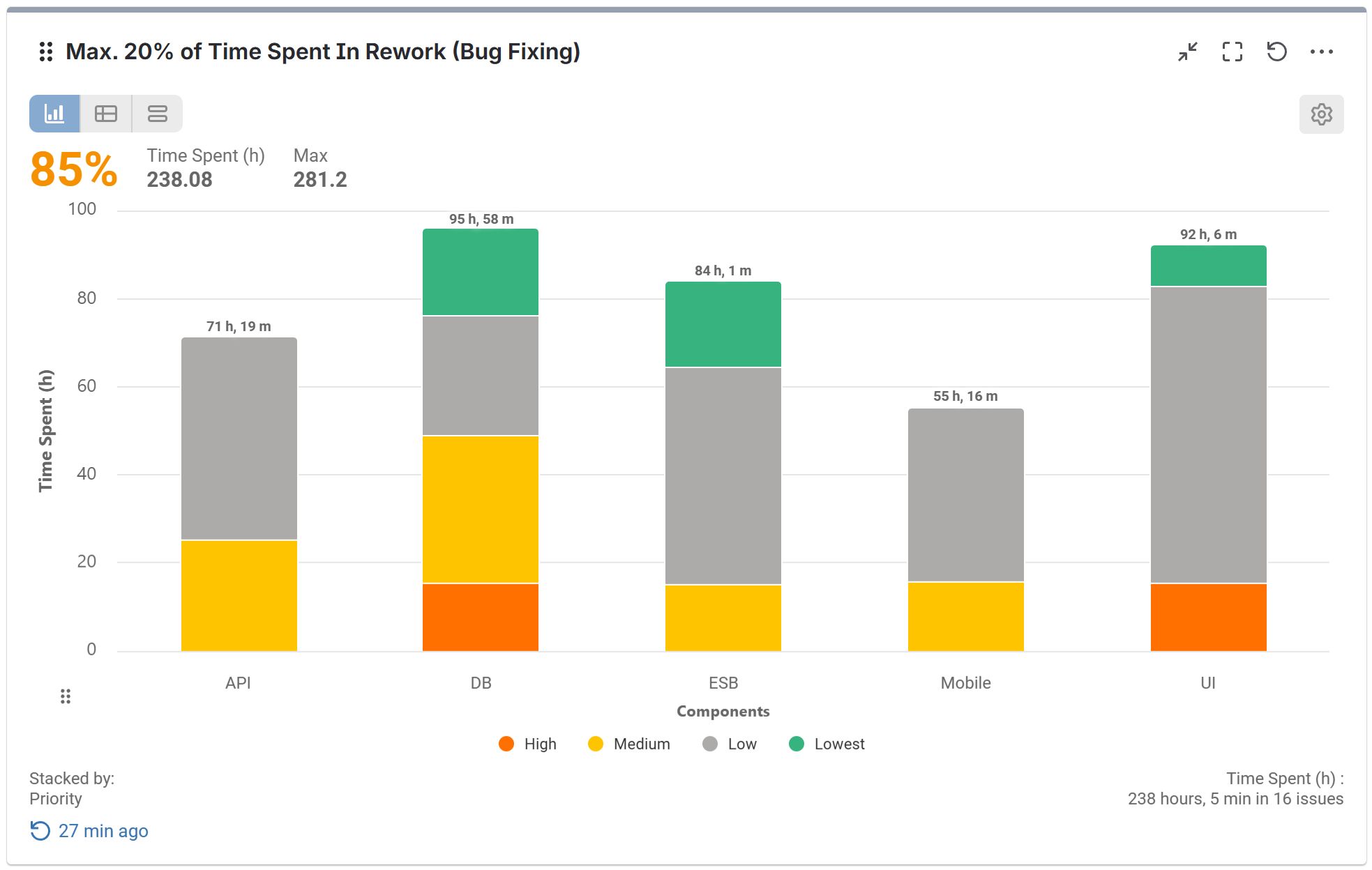
Step by step guide: Creating the Rework Reduction Report using the Performance Objectives gadget
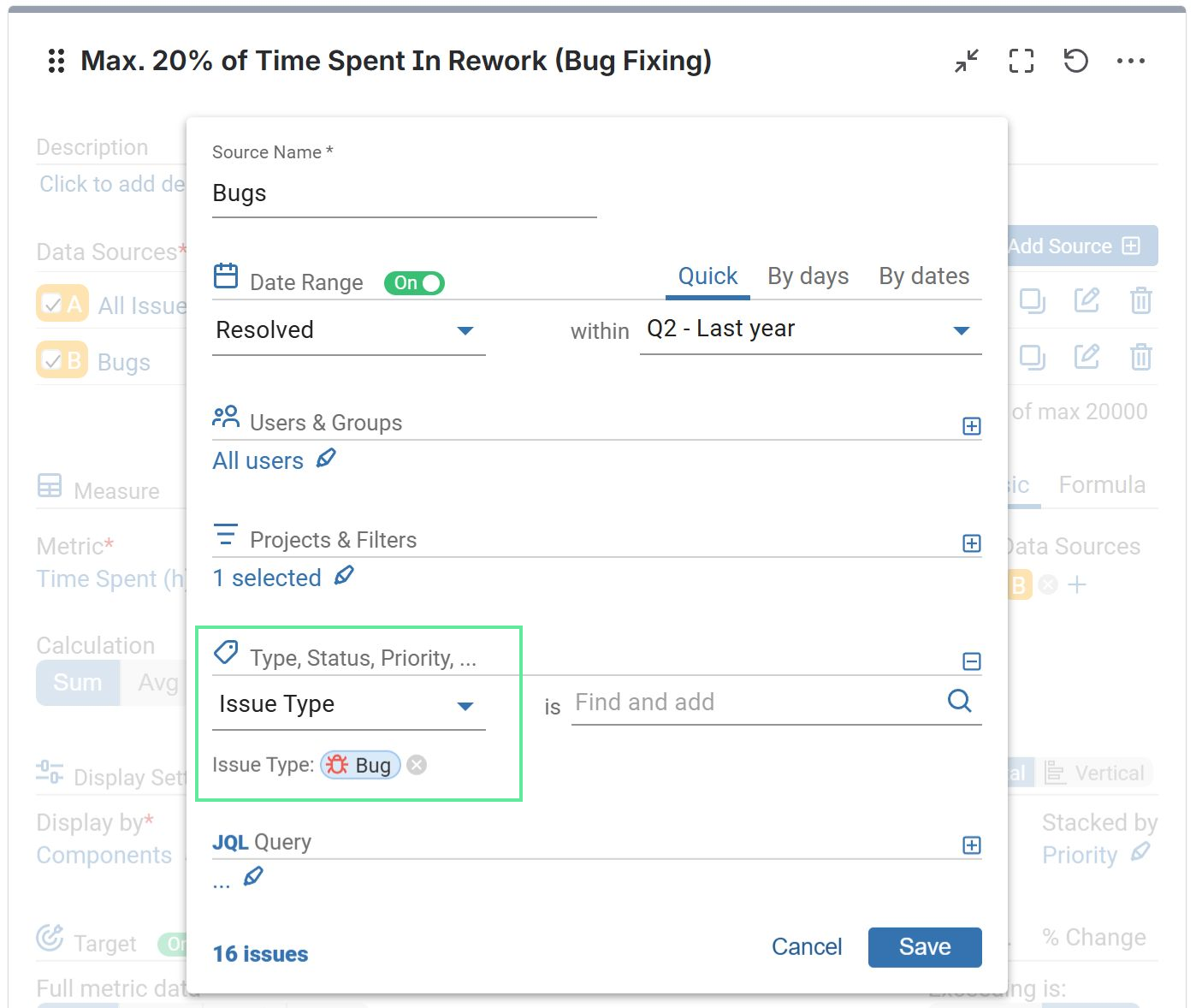
Step 1: Add two Data Sources – one covering all issues and a second one specifically for Bugs. For the second source, use the data segmentation options to filter exclusively for the ‘Bug’ Issue Type, as shown in the image.
Step 2: Opt for the metric “Time Spent (h)”.
Step 3: Define Data Source B (Bugs) for the metric calculation.
Step 4: Specify ‘Display by’ as ‘Component’ for the x-axis representation.
Step 5: (Optional) Choose ‘Priority’ for Stacked by to get even deeper insights.
Step 6: Activate the Target section and navigate to the ‘% of Total’ tab.
Steps 7 & 8: Set the target value. In this example, we use 20%. Choose data source A (All Issues) for calculating the target metric. Keep the default target metric as ‘Current Metric’, which applies the ‘Time Spent (h)’ metric you configured earlier.
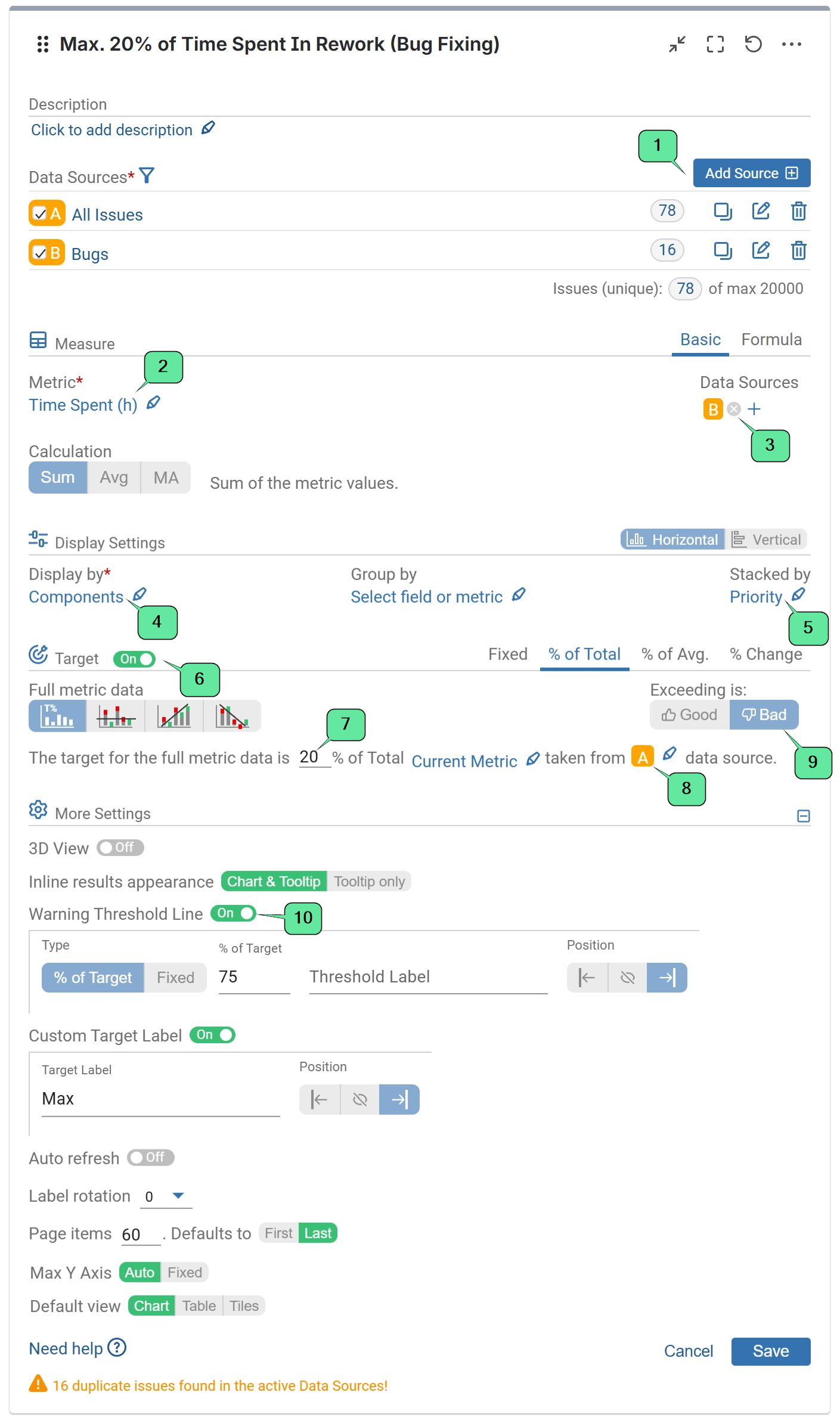
Step 9: Define a negative target by selecting Exceeding is: “Bad”. This setting ensures that going over the target limit is treated as a missed goal, clearly highlighted in red on your chart.
Step 10: (Optional) In the ‘More Settings’ section, enable and customize the ‘Warning Threshold’ option.
Review the recording showcasing the comprehensive configuration settings for Rework Reduction Report
With the Performance Objectives: Charts for Jira app, you can build a dedicated KPI panel directly on your Jira Dashboard. By grouping these reports in one place, you reinforce your SMART goals and keep the team focused on what matters. Our support team is always ready to assist you with the setup.
Looking for more inspiration? Explore our KPI Examples page for additional use cases.